Install Gimp 2.8 is Released for Ubuntu 12.04 Precise Pangolin/Ubuntu 11.10 Oneiric
 GIMP is the GNU Image Manipulation Program. It is a freely distributed piece of software for such tasks as photo retouching, image composition and image authoring. It works on many operating systems, in many languages.


Release notes in GIMP 2.8:
User Interface
- Single-Window Mode
- Multi-Column Dock Windows
- More Screen Real Estate For Dockable Dialogs
- Save And Export
- Tools Drawn With Cairo
- Layer Groups
- On-Canvas Text Editing
- Simple Math In Size Entries
- Keyboard Shortcut Changes
=> Since the keyboard shortcuts Ctrl+E and Ctrl+Shift+E have been repurposed for the image export mechanisms, new keyboard shortcuts have been setup for 'Shrink Wrap' and 'Fit in Window', namely Ctrl+J and Ctrl+Shift+J respectively.
To install latest Gimp 2.8.x on Ubuntu 12.04 Precise open Terminal (Press Ctrl+Alt+T) and copy the following commands in the Terminal:

 To install Gimp 2.8 on Ubuntu 11.10 Oneiric/Linux Mint 12 open Terminal (Press Ctrl+Alt+T) and copy the following commands in the Terminal:
Here is the site of Gimp. That's it.



Release notes in GIMP 2.8:
User Interface
- Single-Window Mode
- Multi-Column Dock Windows
- More Screen Real Estate For Dockable Dialogs
- Save And Export
- Tools Drawn With Cairo
- Layer Groups
- On-Canvas Text Editing
- Simple Math In Size Entries
- Keyboard Shortcut Changes
=> Since the keyboard shortcuts Ctrl+E and Ctrl+Shift+E have been repurposed for the image export mechanisms, new keyboard shortcuts have been setup for 'Shrink Wrap' and 'Fit in Window', namely Ctrl+J and Ctrl+Shift+J respectively.
To install latest Gimp 2.8.x on Ubuntu 12.04 Precise open Terminal (Press Ctrl+Alt+T) and copy the following commands in the Terminal:
Gimp 2.8 Rc1 for Ubuntu 11.10

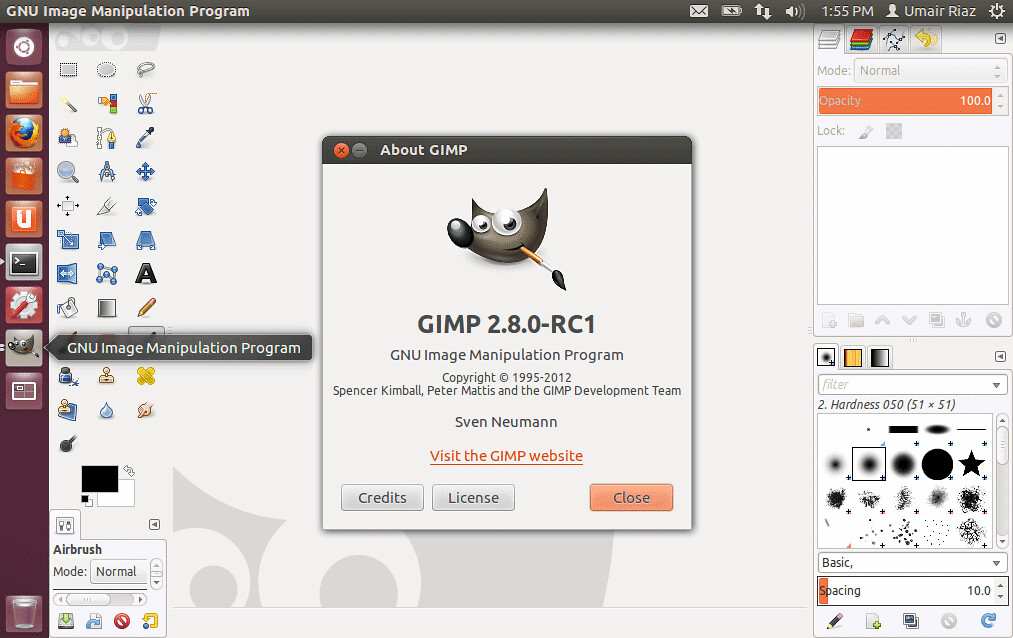
Source: Launchpad