Install Synapse on Ubuntu 12.04/11.10/11.04/Linux Mint
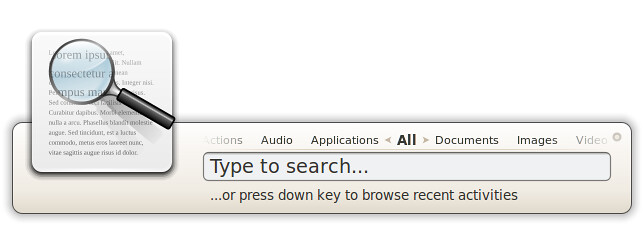
Synapse is a semantic launcher written in Vala that you can use to start applications as well as find and access relevant documents and files by making use of the Zeitgeist engine.
 Synapse is a semantic launcher that enables you to launch applications or find files/documents quickly using Zeitgeist Engine (a service that logs user activity and events, so it helps Synapse in searching stuffs semantically). Simply – start the application and kick start the apps or files you are looking for, and – it seems better than Unity’s Lens. If you haven’t tried any quick App launcher yet, then you must give it a try – as it may help you in boosting your overall productivity by cutting down the time you usually spends on searching files or starting applications.

Use Tips
To install Synapse on Ubuntu/Linux Mint open Terminal (Press Ctrl+Alt+T) and copy the following commands in the Terminal:
Here is the page on Launchpad. Enjoy
Synapse is a semantic launcher written in Vala that you can use to start applications as well as find and access relevant documents and files by making use of the Zeitgeist engine.

Use Tips
- pressing "Home" or "End" on your keyboard will select the first or the last search result?
- pressing "Tab" will let you in/out the Action selection
- when you're selecting an Action you can type to apply a filter on the actions' list
- pressing "Left" or "Right" keys will change the category of results
- pressing "Shift+Enter" will execute the action trying to keep Synapse opened to give you the opportunity to execute other matches
To install Synapse on Ubuntu/Linux Mint open Terminal (Press Ctrl+Alt+T) and copy the following commands in the Terminal:
Here is the page on Launchpad. Enjoy